|
Welcome to All My Bookings!
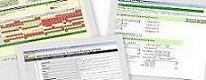
This is a demonstration site aimed at self catering property owners and agents, showing how you can easily manage all your property availability and online bookings using the EseBooking™ service from Esekey Limited. Right now, on this real-time demonstration site, you can:
 | Try out the EseSite availability calendars and find out which layout works best for you and your customers |
| Use the secure online booking form to see how easy it can be for your customers to make a provisional booking - at any time of day or night! |
| Go back to the availability calendars and see the booking you've just made! |
If you register with us, you can also access the administration functions with a username and password so that you can see how easy it is to manage your bookings. All we need is your email address so that we can send you your login details. Then you can log in and:
| Immediately see if there are any new provisional bookings to be processed |
| Immediately see if there are any final balances due for confirmed bookings |
| Immediately see who are the current and next occupants of your properties |
| Go to the Booking List and Confirm or Cancel provisional bookings you may have made earlier |
| Confirm to the customer that a payment has been successfully processed and send final details, such as directions to the property |
|